
Press kit
Facts, a description to quote, the icon and screenshots. Questions: hello@sohamaggarwal.com
Facts#
- Name
- Pinner
- What it is
- A Chrome extension that keeps part of a web page on screen while you scroll
- Price
- Free. No ads, nothing to buy, no account.
- Needs
- Google Chrome 130 or newer on a computer
- Works on
- Any website, including AI chats such as ChatGPT and Claude
- Privacy
- Everything is stored on the device. No analytics, no tracking.
- Get it
- Chrome Web Store
- Latest version
- 1.0.0 (changelog)
- Made by
- Soham Aggarwal
- Contact
- hello@sohamaggarwal.com
Description#
One line#
Pinner is a free Chrome extension that pins a diagram, equation, table, code block or text from any page, so it stays on screen while you scroll.
A paragraph#
Long AI answers and articles often refer back to a figure that has already scrolled away. Pinner lets you pin that part of the page as a small card. Float it, dock it on the right, or pop it out into a window that stays above other apps. Pins come back when you return to the page, and a Library in Chrome’s side panel keeps every pin. Everything stays on your device, with no account and no tracking.
Film#
A 49 second animated film about Pinner, with voice and music. The interface in it is drawn, not a screen recording. You may embed or link it when writing about Pinner.
Icon#
Screenshots#
Real screenshots of Pinner 1.0.0 in Chrome, at twice their shown size. Open a link to get the full file.
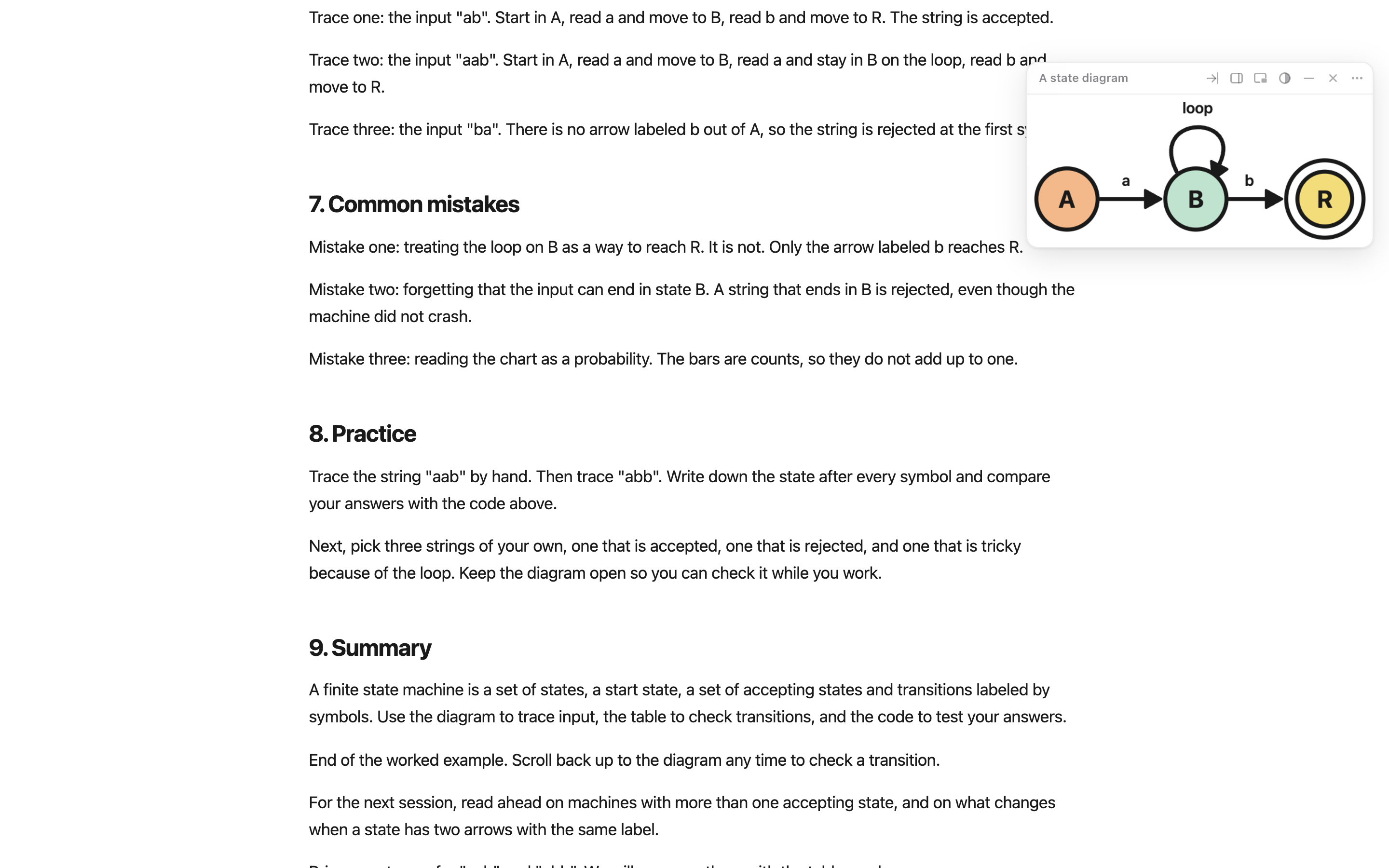
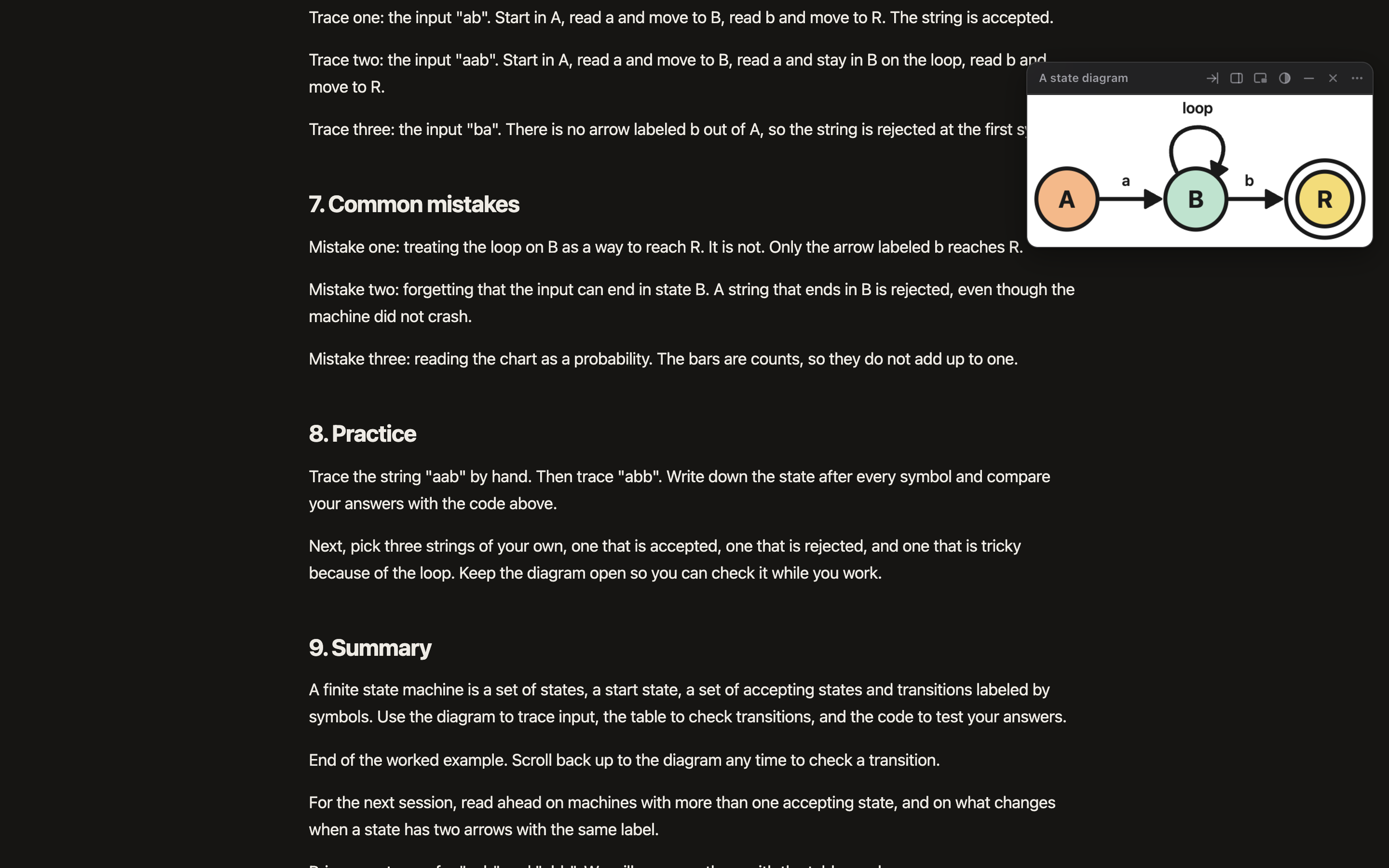
A floating pin. Light, dark 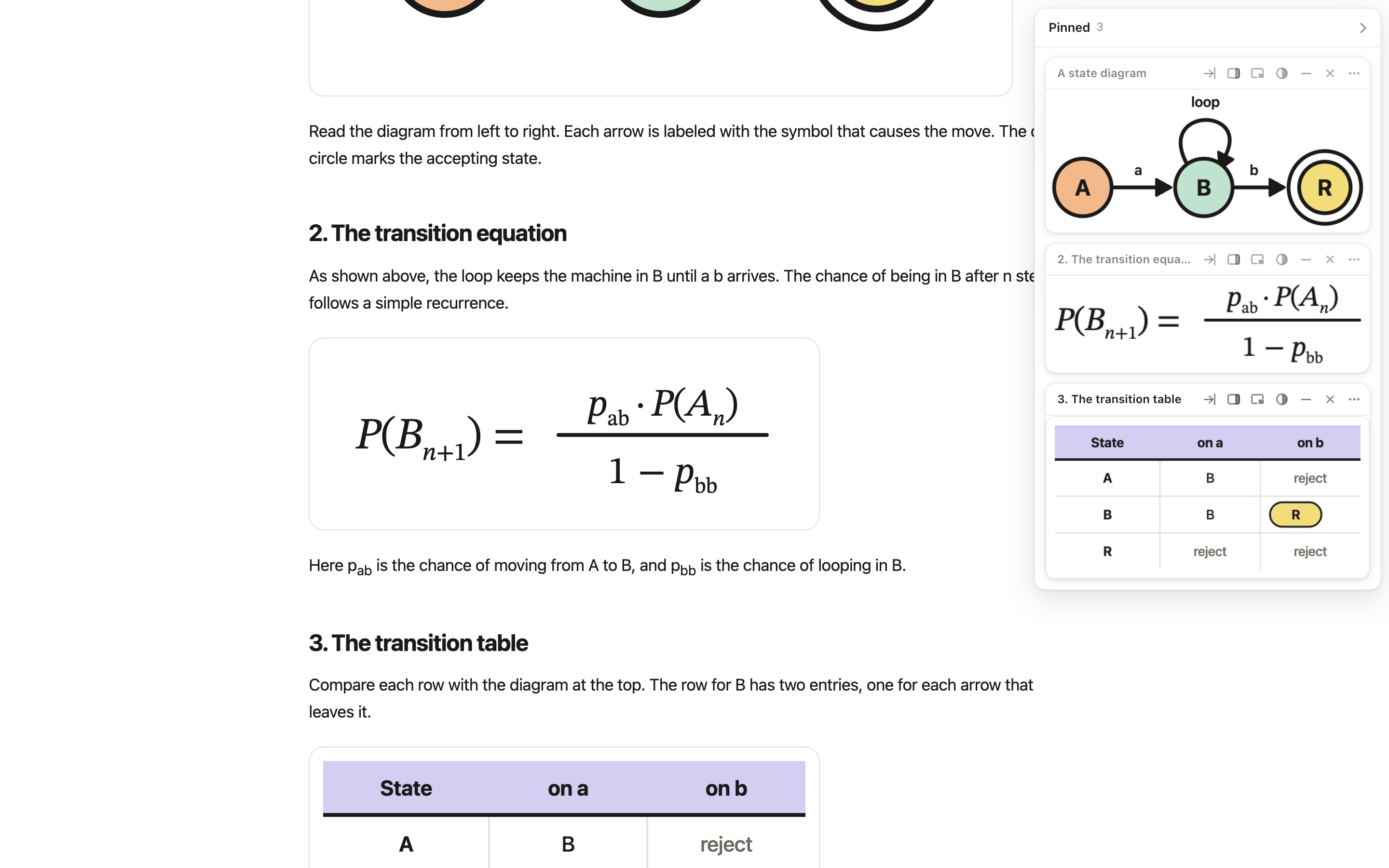
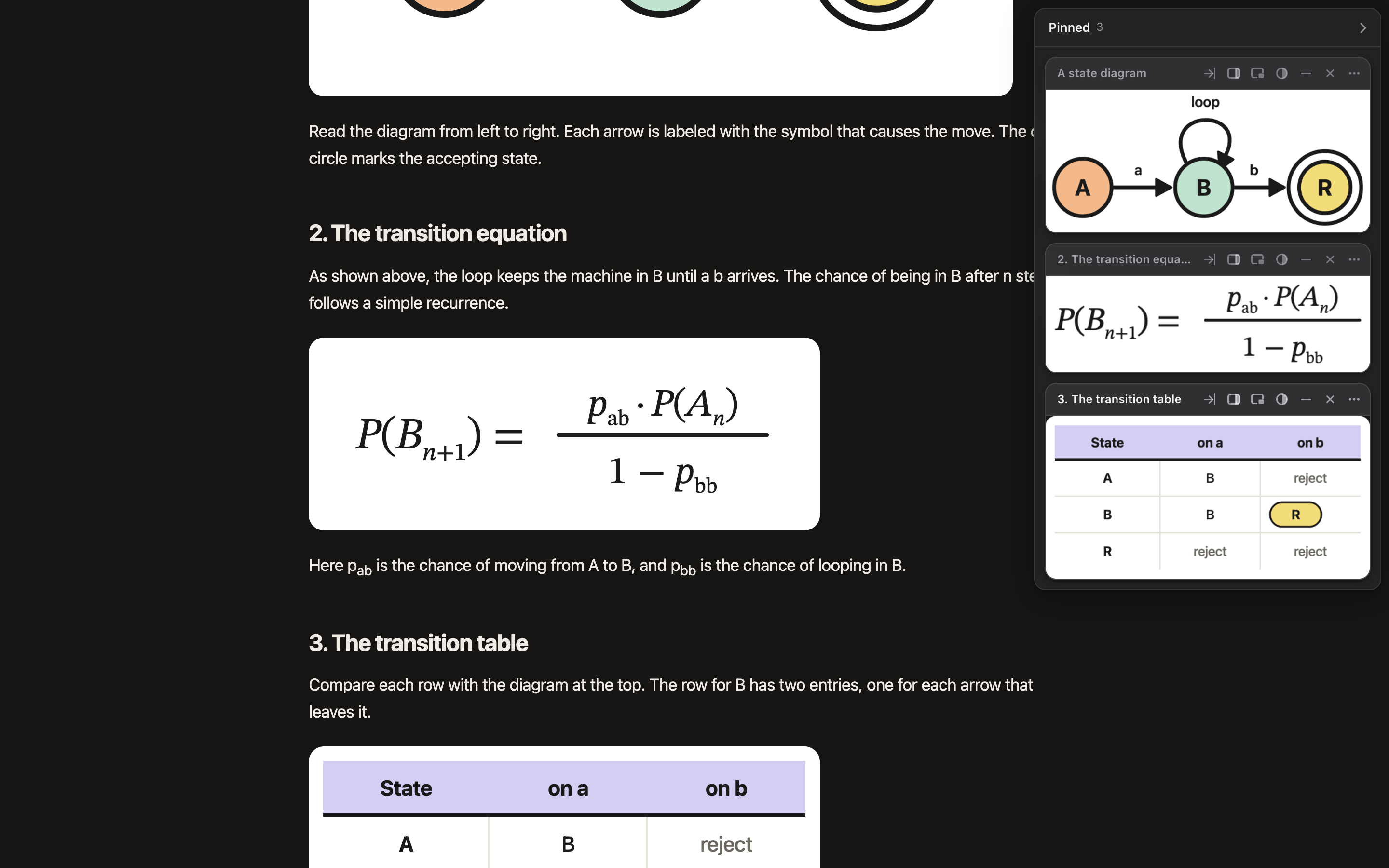
Pins docked on the right. Light, dark 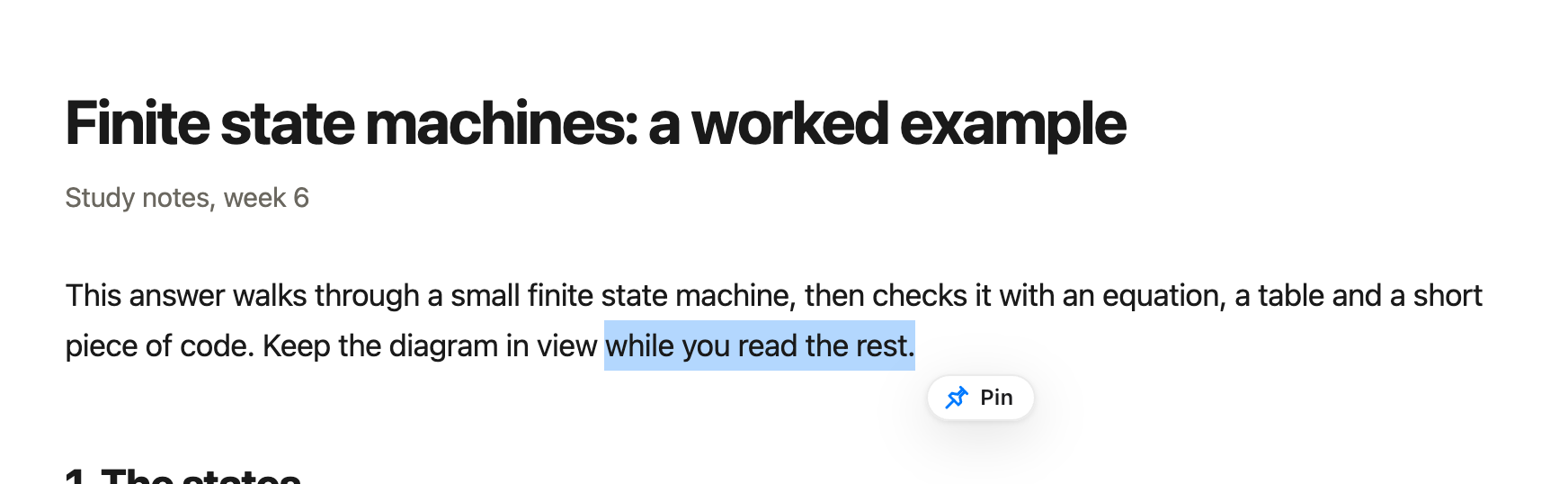
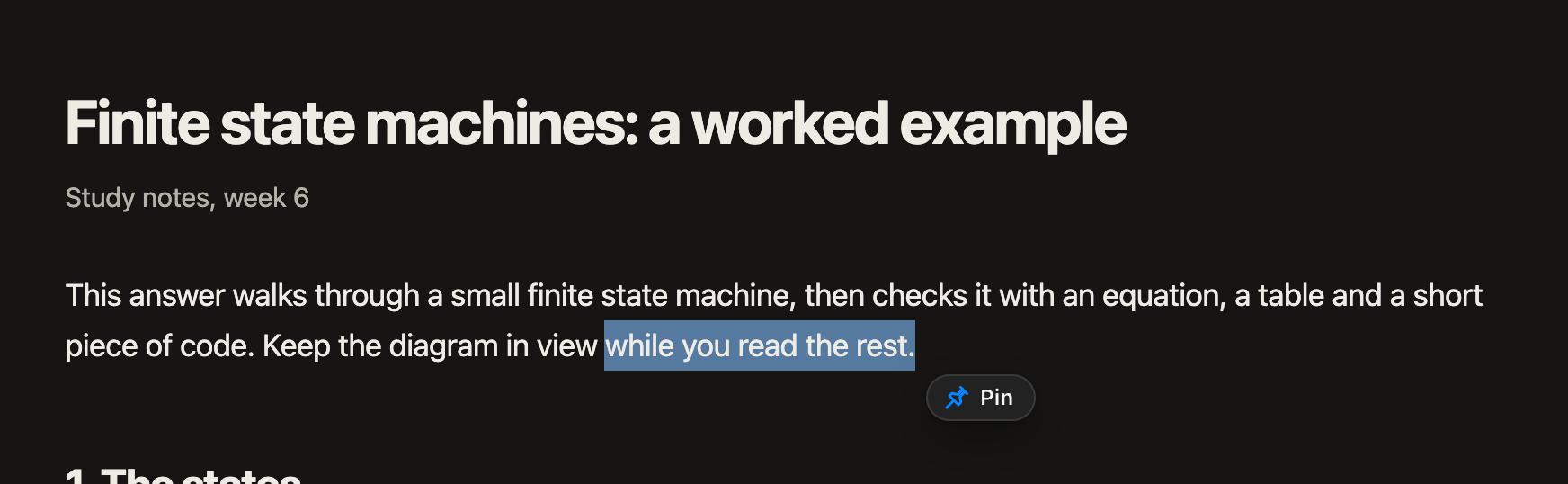
Pinning selected text. Light, dark 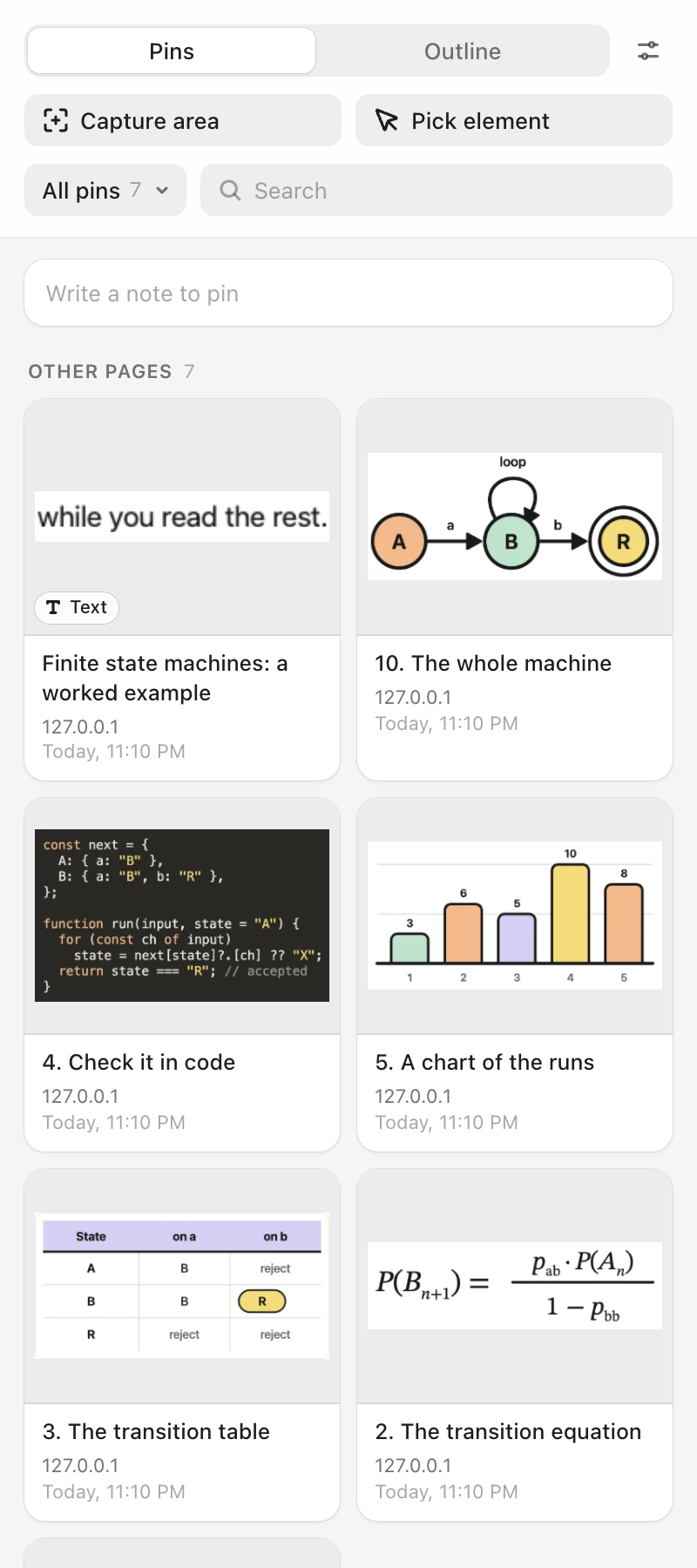
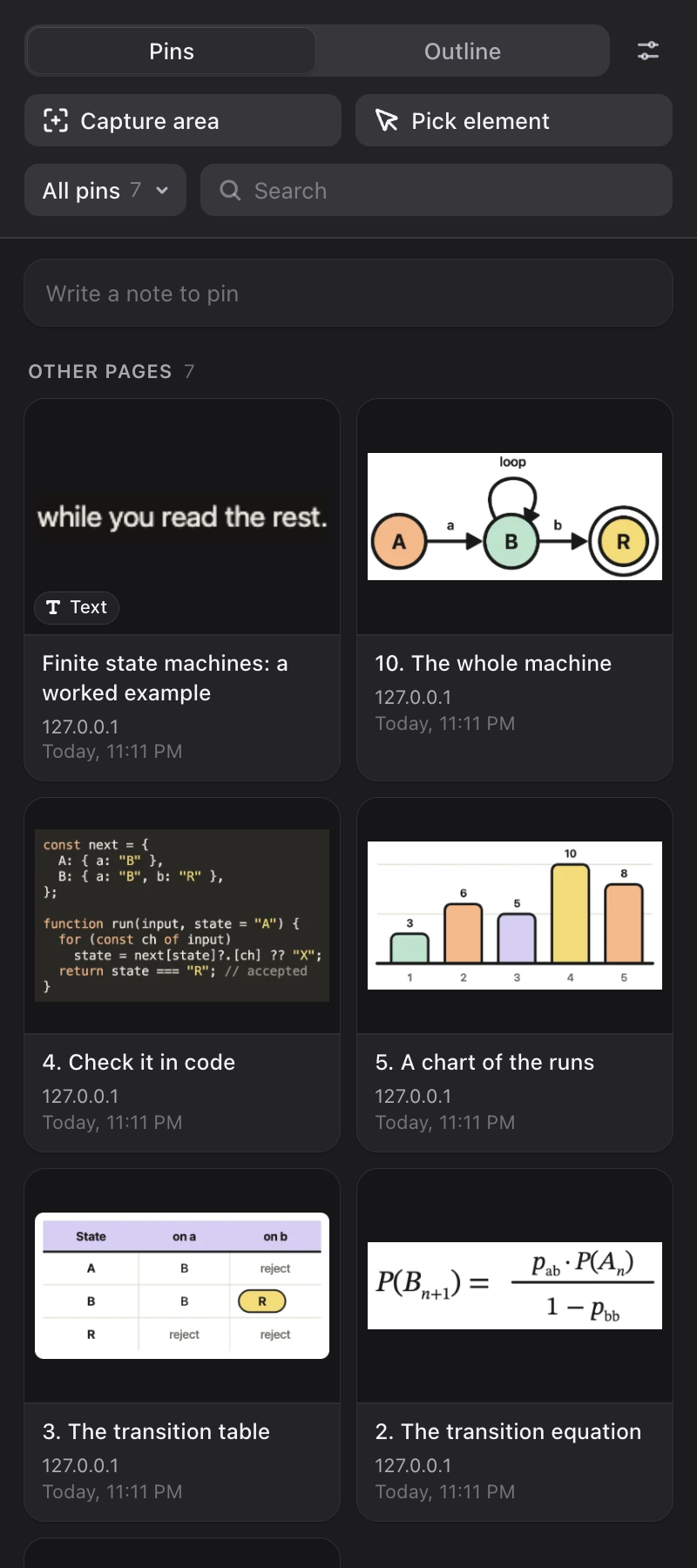
The Library. Light, dark 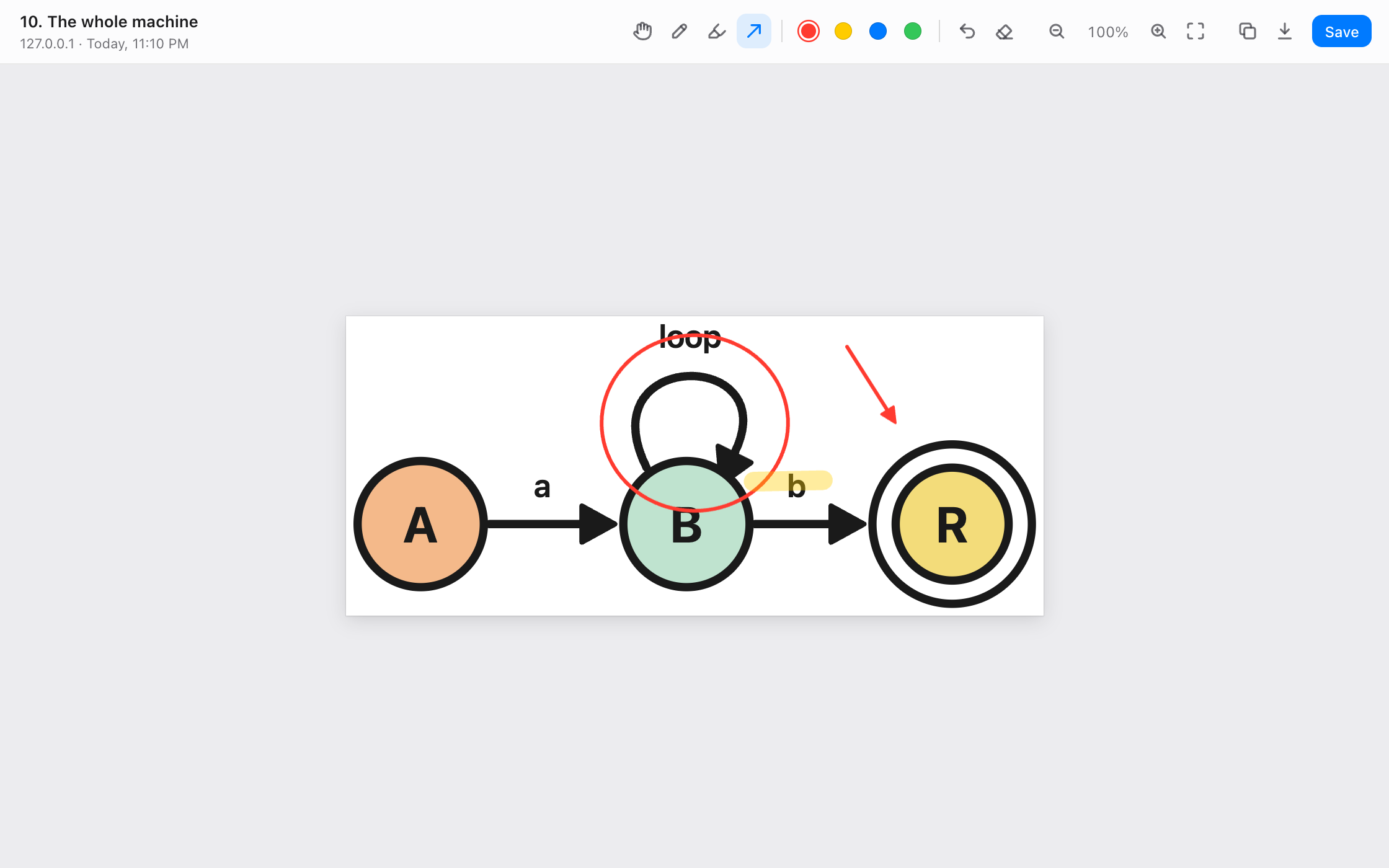
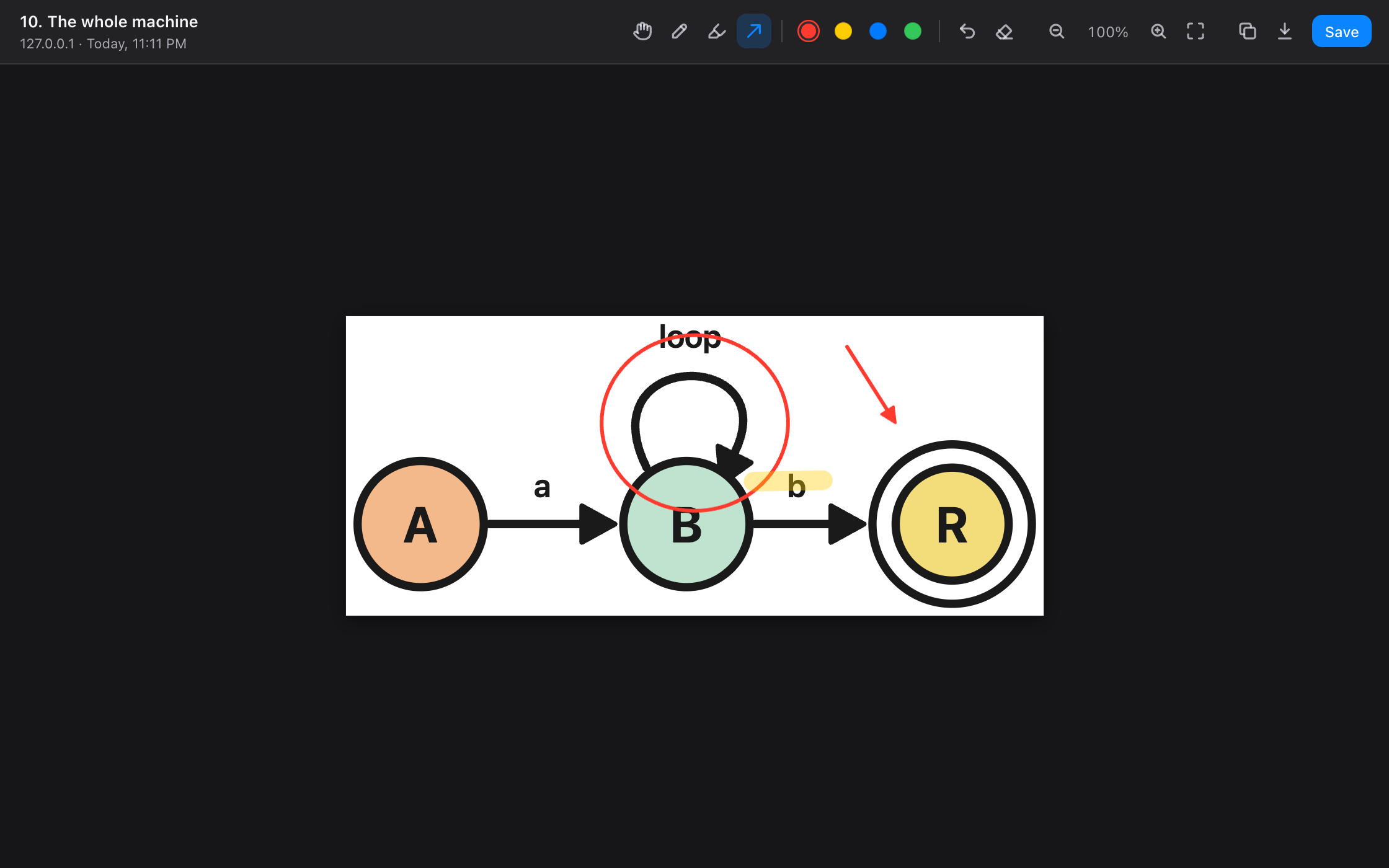
The viewer with markup. Light, dark
Pinner is an independent project, not affiliated with Google, OpenAI or Anthropic. Please do not describe it as an official Chrome, ChatGPT or Claude feature.